
Blog
Casinoly Casino platform Login Problems and Fixes for Hungary


Players in Hungary who open Casinoly Casino accounts sometimes run into login problems that can be fixed quickly once the reason is determined casinolyapp.com. Recognizing the correct sequence of registration, verification, and security procedures helps avoid most disruptions. This overview walks through each stage of the account journey so users can transition from sign-up to verified play without unnecessary delays.
Account Creation for Fresh Members in Hungary
Creating an account at Casinoly Casino starts with clicking the registration link on the homepage or the dedicated login page at casinolyapp.com/hu/login/. Players must provide a valid email address, pick a strong password, and input personal data such as full name, date of birth, and residential address in Hungary. The form also requests a mobile number that will receive a one-time verification code. Finishing these sections in one session avoids partial registrations that later lead to login failures.
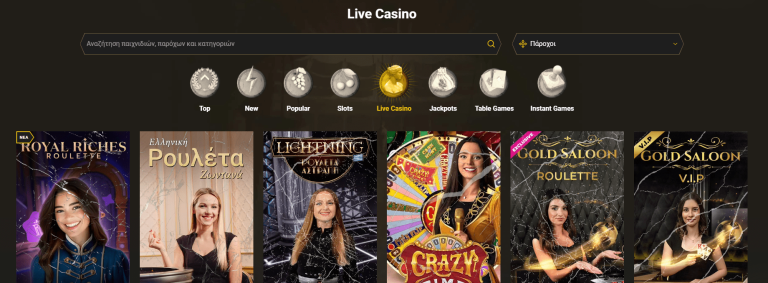
After the initial form is completed, an activation email is delivered automatically. Members follow the link in the email to confirm ownership of the address. If the email does not arrive within five minutes, examining the spam folder or asking for a new message from the login page usually solves the issue. Once the account is verified, the system asks players to configure two-factor authentication before any deposits or withdrawals are allowed.
Frequent Login Issues and Their Fixes
The most frequent login problem arises when members enter an incorrect password multiple times, causing a short-term lockout. After three unsuccessful attempts the system enforces a 15-minute cooling-off period. During this time, selecting the password reset option on the login page enables members to reddit.com establish a new password without needing the lockout to finish.
Another frequent issue arises from browser cache issues. Clearing cookies and cached images for casinolyapp.com/hu/login/ or switching to an incognito window often regains access. Users using VPN connections based outside Hungary should turn off the VPN or select a Hungarian server, because mismatched IP addresses can mark the login attempt as dubious and prevent entry.
Document Requirements and Verification Procedure
Players from Hungary must complete identity verification before they can cash out. Casinoly Casino requires a official photo identification such as a passport or national ID card, plus residence proof in the form of a current utility bill or bank record. The documents are sent directly through the user dashboard under the verification area. File size limits and supported formats are shown on the upload page to prevent rejection.
Verification typically takes between 24 and 72 hours during standard business days. If additional information is required, the verification team sends a message to the account email. Players should respond promptly with the necessary documents to minimize waiting times. Saving electronic copies of all uploaded documents helps accelerate any additional requests.
FAQ
What is the timeframe does account verification require for Hungarian players?
Account verification at Casinoly Casino usually completes within a few business days once all required documents are uploaded. Slowdowns may occur if the uploaded files are illegible or if additional proof of address is requested. Responding quickly to support messages helps maintain the process on schedule.
What steps should I take if the password reset email never arrives?
To start, check the spam or junk folder and double-check the registered email address is correct. If the message is still missing after ten minutes, utilize the live chat feature on the login page to get a manual resend. Support agents can authenticate account ownership through security questions before issuing a new link.
Can I log in from multiple devices at the same time?
Certainly, Casinoly Casino enables simultaneous sessions on different devices, but each login generates a notification to the registered email. If an unfamiliar device is visible in the active sessions list, players should end that session immediately and update the password to maintain security.
Is two-factor authentication mandatory for withdrawals?
Two-factor authentication must be turned on before any withdrawal request can be handled. This rule safeguards funds even if login credentials are compromised. Players who have not yet set up 2FA will see a prompt directing them through the authenticator app installation before the withdrawal screen becomes available.
Two-Factor Authentication Configuration and Troubleshooting
2FA adds a additional layer of safeguarding by demanding a six-digit code produced by an authenticator app whenever a login attempt is made. During first setup, members scan a QR code shown in the account security section using tools such as Google Authenticator or Authy. The code updates every thirty seconds, so entering it quickly prevents expiration errors.
Should a player misplace access to the authenticator device, the backup recovery codes created during setup become vital. These ten-digit codes are presented only once and should be stored offline. Entering a recovery code in stead of the app-generated code reinstates immediate access. If both the device and codes are unavailable, support can disable 2FA after identity verification, though this step prolongs the login restoration timeline.
Security Measures Securing Hungarian Player Accounts

Casinoly Casino employs encryption protocols that secure data transmission between player devices and the server. All login pages use HTTPS, shown by the padlock icon in the browser address bar. In addition, the platform observes login patterns and may request extra verification when unusual activity, such as access from a new device or location, is detected.
Players can further strengthen account security by enabling login notifications via email or SMS. These alerts inform users of every successful and failed login attempt, allowing quick reaction if unauthorised access is suspected. Regularly reviewing the active sessions list in the account settings helps identify and terminate any unfamiliar connections.
Account Recovery and Access Restoration
When a password is misplaced, the recovery process initiates on the login page by clicking the “Forgot password” link. Players enter the registered email address and obtain a reset link active for two hours. Selecting the link displays a secure form where a new password must be established following the displayed strength requirements. After the change is applied, the old password becomes invalid immediately.
If the reset email does not come, users should check that the email address on file is still correct by looking at previous welcome messages. Reaching live chat support from the login page offers an alternative route; agents can send again the reset link after confirming account ownership through security questions. Keeping the registered email inbox reachable stops further delays during recovery.